Local SEO tooling for people who do this for a living

Freelancers, consultants and in-house SEOs are judged on results they can show. SearchOps puts the evidence in one place: where a business ranks from every street it serves, whether Google's AI answers, ChatGPT and Gemini recommend it, what its profile and reviews are doing, and what changed after your work. Pitch with findings, deliver every month from one login, and turn the data into research that brings the next client to you.

  • Track any business, including the prospects you pitch
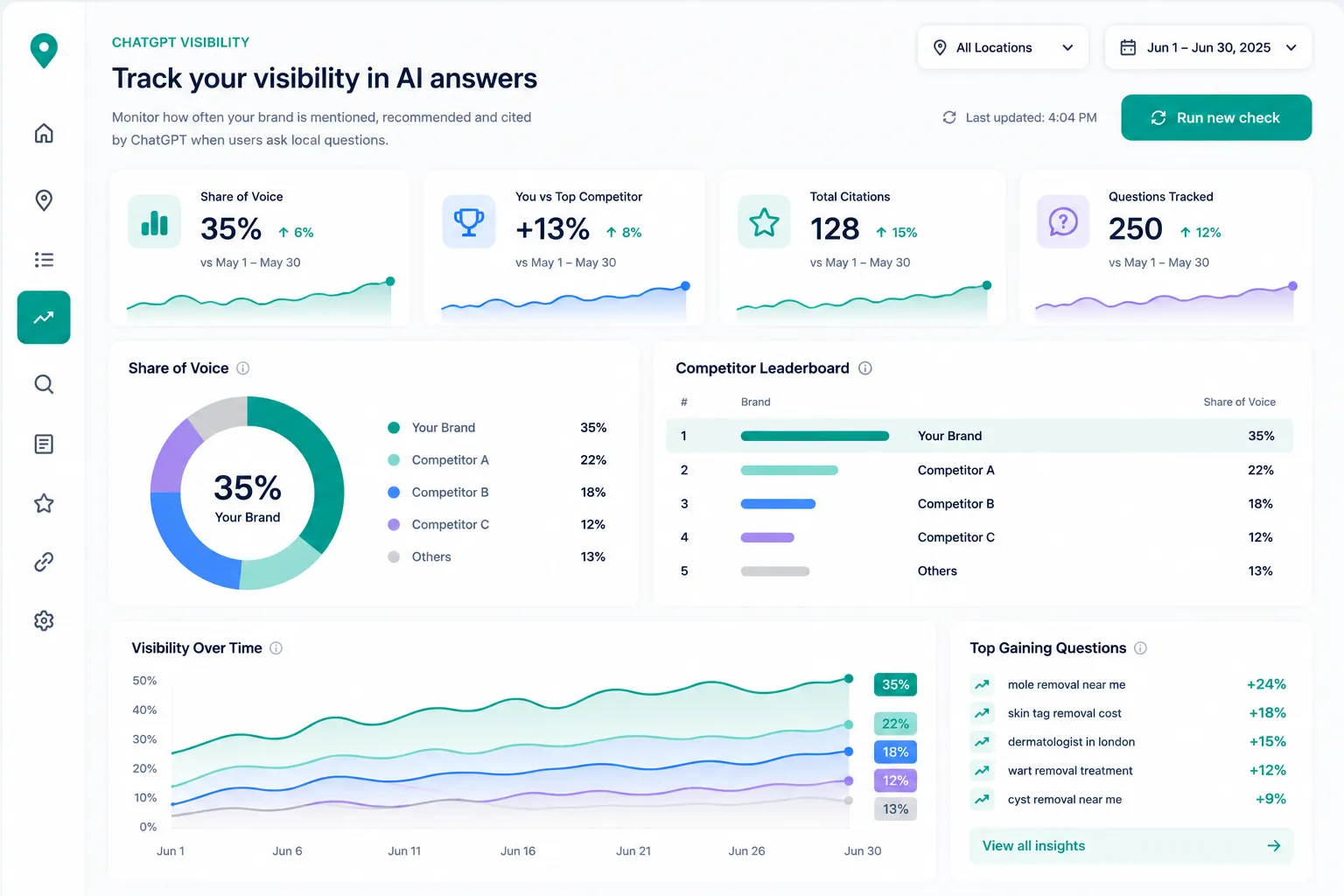
  • Maps, Search, AI Overviews, AI Mode, ChatGPT and Gemini
  • API access and MCP server on Pro
  • White-label reports and team members on Agency

The problem

You're the whole agency, on one person's hours

Independent SEOs carry every role at once: pitching, auditing, delivery, reporting, and staying visible enough that the next client finds you. The evidence that wins and keeps work is usually spread across a rank tracker, a map grid tool, a spreadsheet of AI answers and a reporting template, so a surprising share of each week goes on stitching it together instead of improving anything.

01

A sharp local audit wins the first call, but it takes hours to assemble when every number lives in a different tool.

02

Rankings in one place, map coverage in another and AI answers in a spreadsheet make it hard to tell a client one clear story.

03

Clients now ask whether ChatGPT and Google's AI answers recommend them, and most local reporting has no answer.

04

Tooling priced per seat or per client works against you as you grow a client list on your own.

How it fits your practice

From the first call to the renewal, in one place

Independent SEO work runs in a loop: win the client, set the baseline, deliver every month, prove the result, and use what you learn to win the next one. This is where SearchOps sits in each step.

01Win

Walk into the pitch with findings, not a proposal

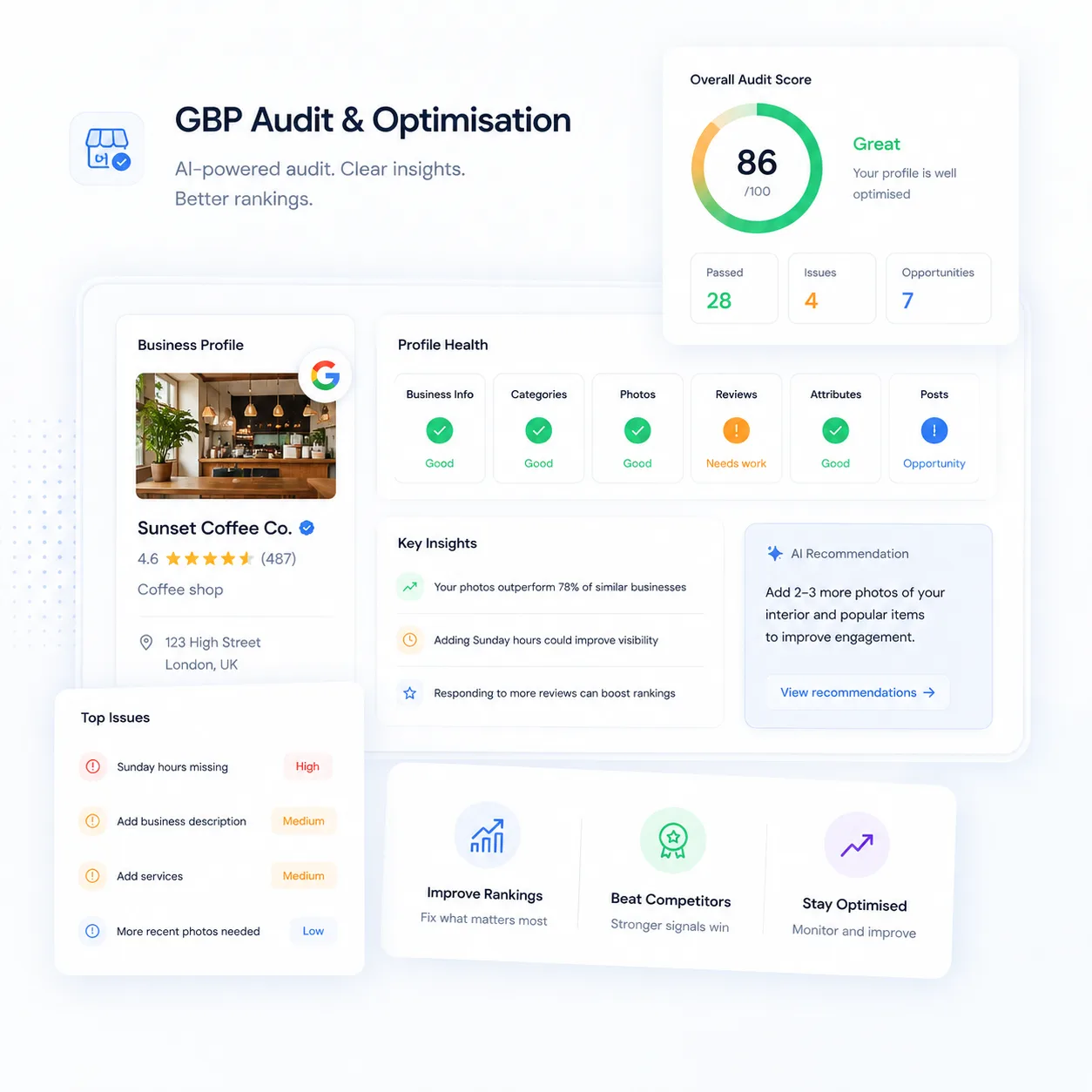
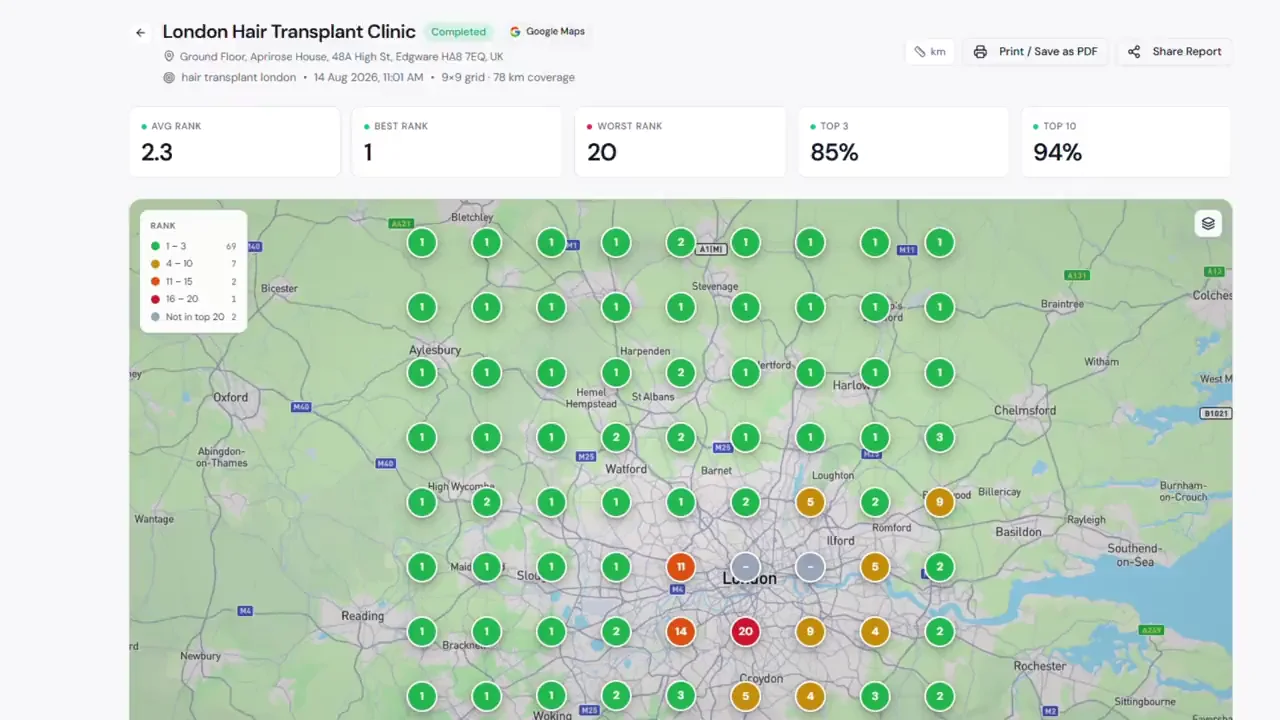
Add the prospect as a tracked location before the first call. A geo-grid scan shows where they drop out of the Map Pack across their own area, a Google Business Profile audit scores the signals that matter, and an AI visibility check shows whether ChatGPT and Gemini recommend them or a competitor.

A specific, evidence-backed reason to hire you
02Set up

Baseline a new client in an afternoon

Import the searches the client's site already gets from Google Search Console, choose the keywords worth tracking for each location, and put scans and checks on a schedule. Competitors are gathered from the businesses you meet in map scans, search results and ChatGPT answers, so the rival list builds itself.

A dated baseline every later report is measured against

03Deliver

Run every client from one login

Each client is a location, or a group of locations, with rankings, map scans, AI visibility, reviews and profile health side by side. Findings from every tool land on one task board, and the agent answers questions about any account and prepares next steps for you to approve.

Less time switching tools, more time on the work

04Prove

Show what you did next to what changed

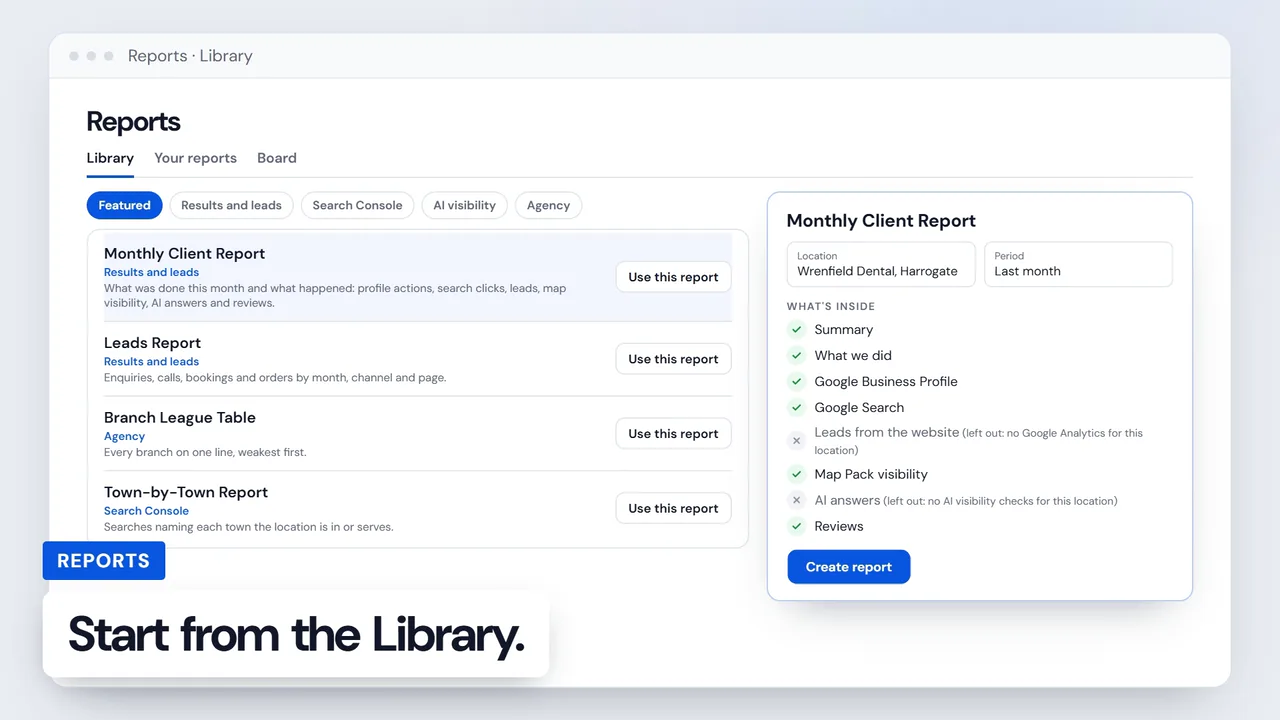
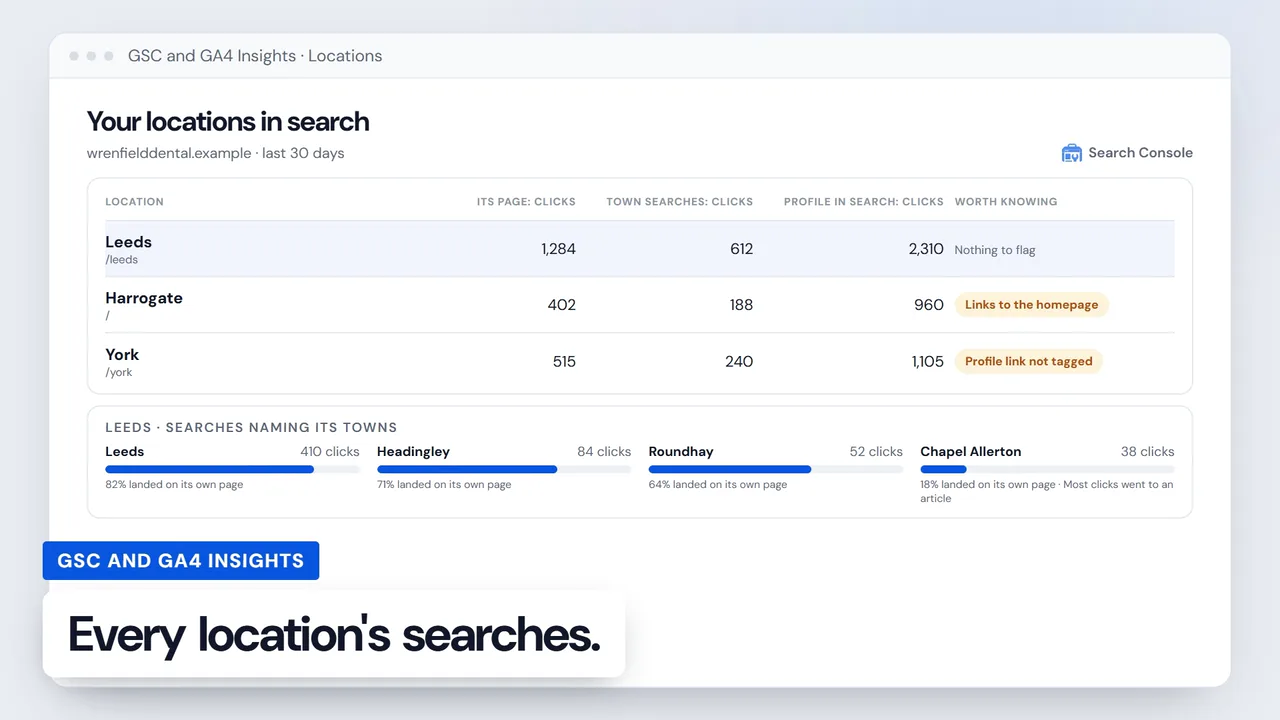
Reports put finished work beside the rankings, map coverage and profile results that followed. GSC and GA4 Insights adds the searches and visits behind the numbers, including visits from AI assistants, so the monthly call is about outcomes rather than activity.

Renewals built on results a client can see

05Grow

Turn your data into research that brings clients to you

Aggregate and anonymise your scan, ranking and AI visibility data into a sector benchmark or a study of how AI answers choose local businesses. Pull it into your own analysis through the API, and use SearchOps Lens to read any results page or AI answer while you research.

Original data that earns links and inbound enquiries

The toolkit

Everything a local SEO reports on, measured in one platform

SearchOps covers the places a local business is found and the evidence you need to improve it: map rankings street by street, every Google surface for each keyword, ChatGPT and Gemini, the Business Profile and its reviews. Plans are sized by how much you track rather than by seat, so the platform grows with your client list.

See the whole platform

Before and after

What changes when the evidence lives in one place

Preparing a pitch
Juggling separate toolsScreenshots from several tools pasted into a deck the night before
With SearchOpsA map scan, a profile audit and an AI visibility check on the prospect, from one login
Map rankings
Juggling separate toolsOne rank from one spot, or a separate grid tool with its own login
With SearchOpsGeo-grid scans up to 21×21 on a schedule, with the businesses ahead of you at each point
AI answers
Juggling separate toolsAsking ChatGPT by hand and pasting what it said into a sheet
With SearchOpsYour questions put to ChatGPT and Gemini on a schedule, with share of voice and the sources cited
Google's AI surfaces
Juggling separate toolsGuessing whether AI Overviews and AI Mode mention the business
With SearchOpsEach tracked keyword shows whether AI Overviews link to you and whether AI Mode recommends you
Monthly reporting
Juggling separate toolsExports rebuilt into a template every month
With SearchOpsReports that show the work you finished beside what changed
Your own research
Juggling separate toolsNumbers you can see on screen but cannot take anywhere
With SearchOpsCSV exports from scans, audits and Search Console panels, and a read-only API on Pro and above

Playbook

How independent SEOs build a practice that compounds

The freelancers and consultants who do well treat the job as one loop: research builds authority, authority wins clients, and client work produces more data. These are the habits that keep that loop turning.

01

Lead the pitch with an audit, not a proposal

Run a profile audit, a geo-grid scan and an AI visibility check on a prospect before the first call. Opening with the three things costing them calls right now lands far better than a list of services, and it turns you from a vendor into the expert in the first five minutes.

02

Report visibility across the area, not one rank

A business can rank first outside its own front door and nowhere two miles away. Report the share of the grid where a client appears in the top three, and how that share moves month to month. It is closer to what customers actually see, and it rewards the work you do.

03

Price the outcome, not the hour

Hourly billing caps your income at your own capacity and penalises you for getting faster. Package local SEO as a fixed monthly retainer per client or per location, so efficient tooling adds to your margin instead of shrinking your invoice.

04

Standardise delivery so one person scales

Use the same onboarding for every client: import Search Console keywords, set a monthly scan and regular checks, and keep one report template. When scans run on a schedule, the monthly report becomes a review rather than a rebuild.

05

Run every client from one place

Add each client as a location and watch rankings, reviews and AI visibility side by side. When a client's rank slips you see it before they email you, which is often the difference between a renewal and a lost account.

06

Make AI visibility part of every retainer

Many local SEO reports still stop at Google rankings. Showing a client how often ChatGPT and Gemini recommend them, and who gets named instead, answers the question they are already asking and gives the retainer a clear reason to exist.

07

Watch for clicks lost at the same rank

When a search keeps its position but loses clicks, Google is usually answering on the results page with an AI Overview or a map pack. Catching those searches early explains a traffic dip before the client notices it, and points to what to change.

08

Publish one data study a quarter

Your own scan data, aggregated and anonymised, can power a sector benchmark or a piece on how AI answers choose local businesses. Original data gets cited and linked in a way opinion pieces rarely do, and those links bring prospects to you.

09

Show the method, protect your edge

When you publish, share the sample size, markets and dates so the work is credible. You don't need to explain how the data is gathered. That openness earns a reader's trust while keeping your process yours.

10

Turn client wins into proof you can reuse

A geo-grid heatmap that turns from mostly red to mostly green over six months is the most persuasive sales asset you can own. Anonymise it and it becomes the case study that wins the next three clients.

Choosing a plan

Pick the plan that matches your client list

Every plan includes every tracking tool. Plans differ in how many businesses you track, how many Google profiles you connect, and what you get for working with a team or under your own brand. Enterprise is sized to your portfolio.

Compare every plan

Starter

For a consultant with a handful of local clients

  • 10 tracked locations
  • 1 connected Google profile
  • Every tracking tool
  • Single user

Pro

For a freelancer or in-house SEO with a growing client list

  • 50 tracked locations
  • 25 connected Google profiles
  • API access and MCP server
  • Single user

Agency

For a consultancy with a team, or clients who want your brand

  • 200 tracked locations
  • 100 connected Google profiles
  • White-label client reports
  • Unlimited team members

FAQ

SEO professionals. Questions we get

Yes. Plans are sized by how many businesses you track and how often you check them, not by seat. Starter and Pro are single-user plans built for one person running a client list, and you can move up as the list grows. Agency adds team members and white-label reports when you need them.

Yes. A tracked location can be any business: a client, a prospect you are pitching or a competitor. Tracking needs no access to the business's Google account. Connecting a Google profile is only needed for owner data such as calls, clicks and direction requests, and each plan includes a set number of connected profiles.

That's the core use case. Add each client as a location, or group a multi-site client's locations together, then track rankings, map scans, AI visibility, reviews and profile health for each one. Findings from every tool go on one task board, and you can build reports client by client.

White-label reports, with your logo, brand colours and your own report sub-domain, are included on Agency and Enterprise. On Starter and Pro, the reports you share carry standard SearchOps branding.

Add the prospect as a tracked location and run a geo-grid scan, a profile audit and an AI visibility check before you pitch. You walk in with specific findings about what is costing them visibility, which lands far harder than a generic proposal and positions you as the expert before you've quoted a price.

Yes. You can track how often ChatGPT and Gemini recommend a business for the questions its customers ask, its share of voice against competitors and the sources those answers cite. On Google, keyword tracking also shows whether AI Overviews link to the business and whether AI Mode recommends it. We report visibility and share of voice rather than an 'AI rank', because these answers are not ranked lists.

Scan results, profile audits, Google Business Profile performance and the GSC and GA4 Insights panels export to CSV. On Pro and above, the read-only API gives your scripts and dashboards your locations, rankings, AI visibility, reviews, competitors, scans and reports, and the MCP server lets an AI assistant query the same data in plain language.

Yes. Your scan, ranking and AI visibility data are yours to analyse, aggregate and publish, in reports, research pieces or client-facing content. Anonymise client specifics and the aggregate picture is genuinely new, because local search data at this level of detail isn't publicly available.

Yes. Geo-grid scans and rank tracking work in every country where Google Maps operates, and AI visibility questions are asked for the location you set, so the same workflow runs for clients in the US, Europe, Australia or anywhere else. The one exception is Google's AI Mode, which rank checks read for locations in the US, UK and India.

Start tracking your real rankings today

See where you actually rank on Google Maps, not where Google tells you. Pick the plan that fits and start tracking from day one.